Use your school email, or Continue with Google with your school Google account.
Choose Teacher and type your name.
Classes need a school email address. If yours is not recognised, press Ask us to check.
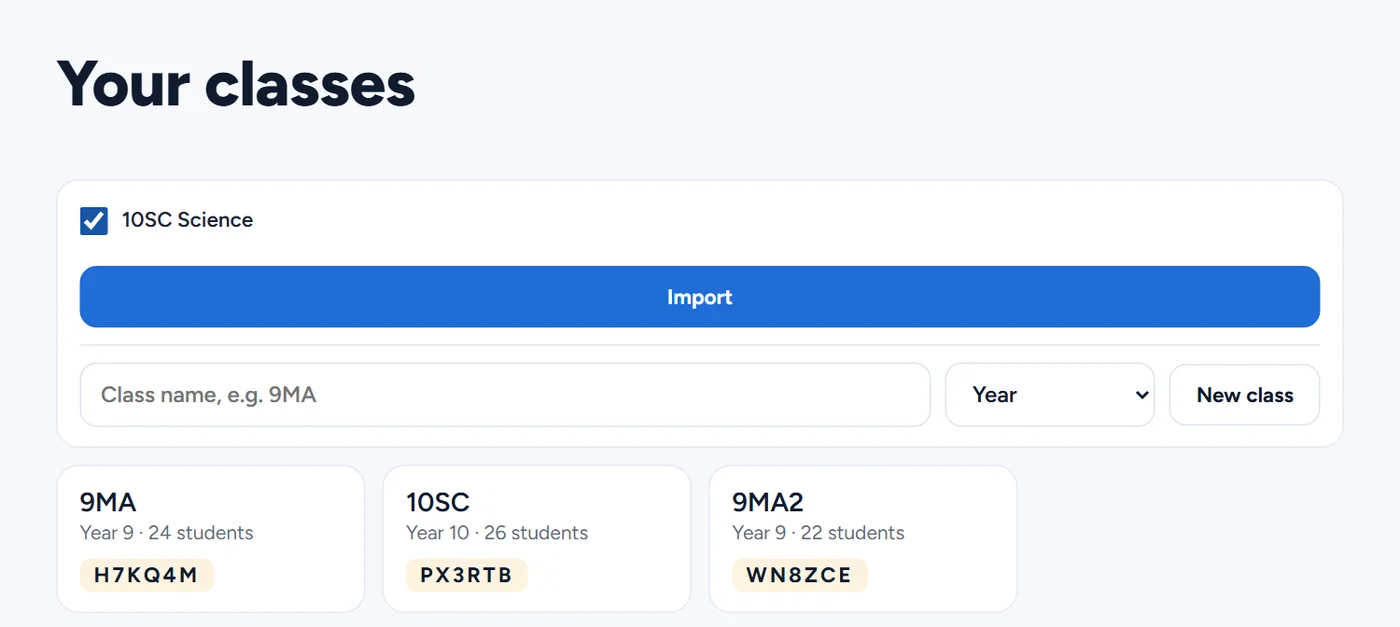
Import your Google Classroom classes
On Your classes, press Import from Google Classroom.
Choose your school Google account in the pop-up and allow access. If nothing opens, allow pop-ups for the site.
Tick the courses you want and press Import. Each one becomes a Vertex class with the course's students on its roster.
Students join the class the first time they sign in to Vertex Learn with their school Google account.
Already made a class by hand? Open it, open Add students, and press Connect beside Google Classroom to link a course.
Post welcome to Classroom puts a join link in the course as an assignment.
Set a task
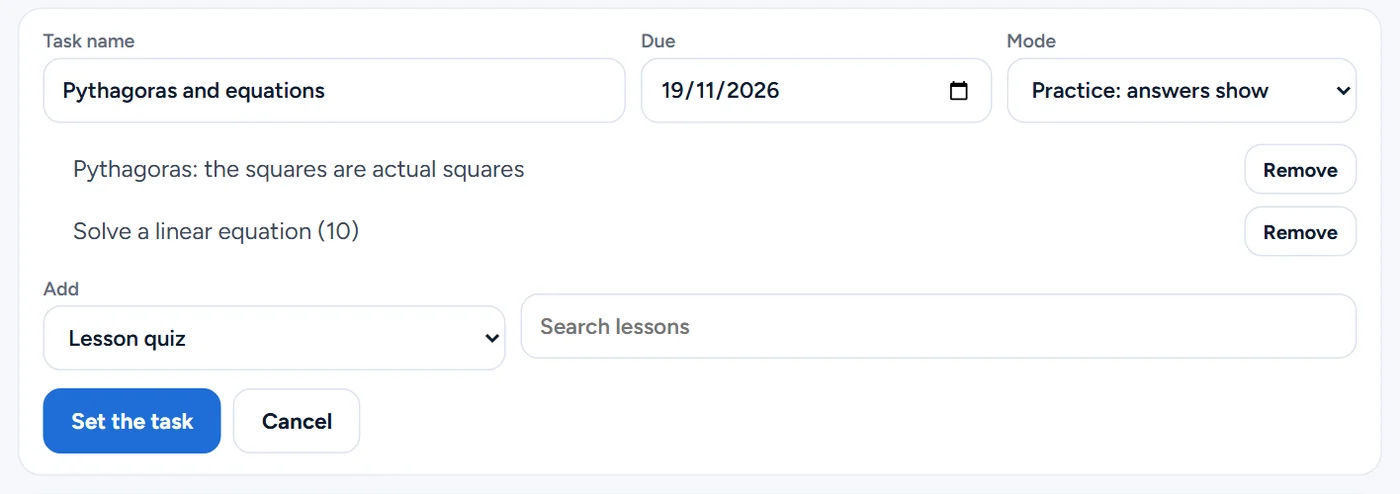
Open the class and press New task.
Give it a name and a due day.
Choose Practice, where answers show as students go, or Test, where results show when you release them.
Add up to 20 items: a lesson quiz (search by topic or year), skill questions (5 to 20), each student's weak spots, or your own question with two to four answers.
Press Set the task.
Post it to Classroom
Open the task and press Post to Classroom.
It appears in the linked course as an assignment with the task's link and due day.
Students open it from Classroom and sign in with their school Google account.
Not using Classroom? Press Copy link and share the link however you like.
Send marks back
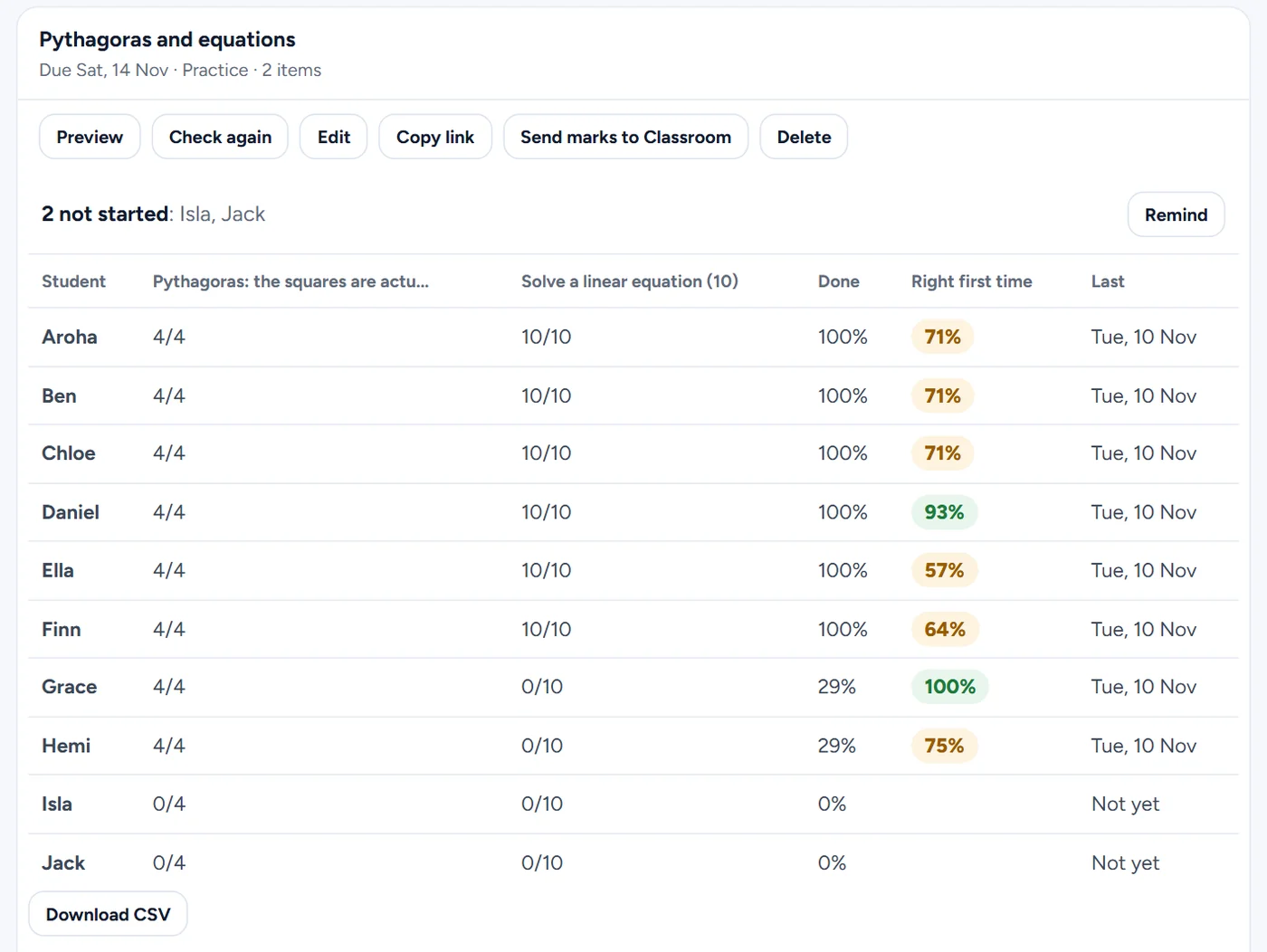
Open the task to see each student's answers on every item, how much they have done and how many they got right first time.
Press Send marks to Classroom. Every student who has answered gets a mark out of 100 for the assignment: the questions they got right first time.
Press it again after more students finish, and their marks go in too.
Students who have not started are named above the table. Press Remind and they see a reminder from you on the task in Vertex Learn (once a day; no email is sent).
The Gradebook on the class page shows every student against every task, with Download CSV.