How to build a course and track your class by module
Browse a course
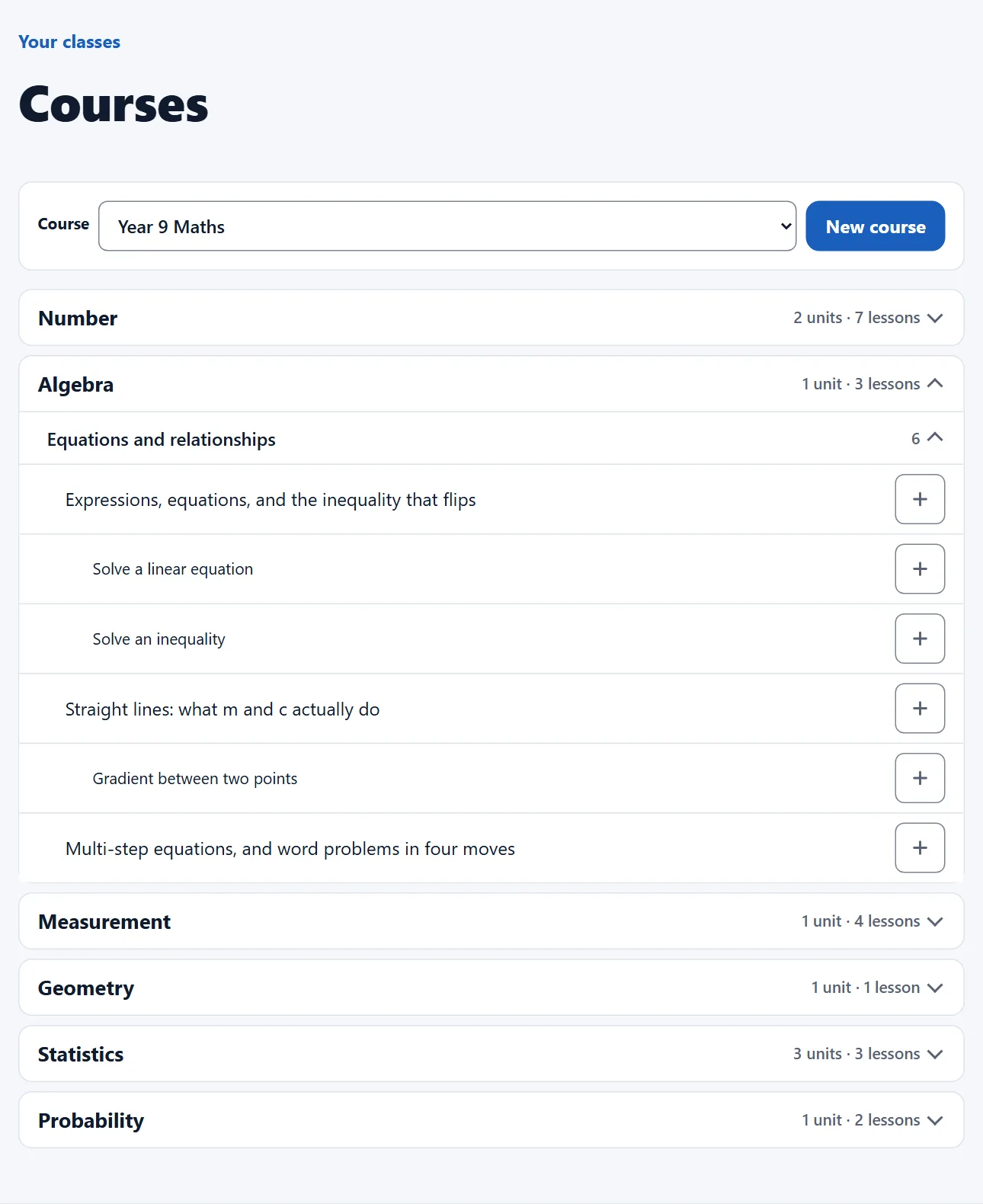
- Open vertexacademy.co.nz/courses and pick a year, or All skills.
- Open a strand, then a unit. Tick a lesson or skill to add it to your selection.
Build your own
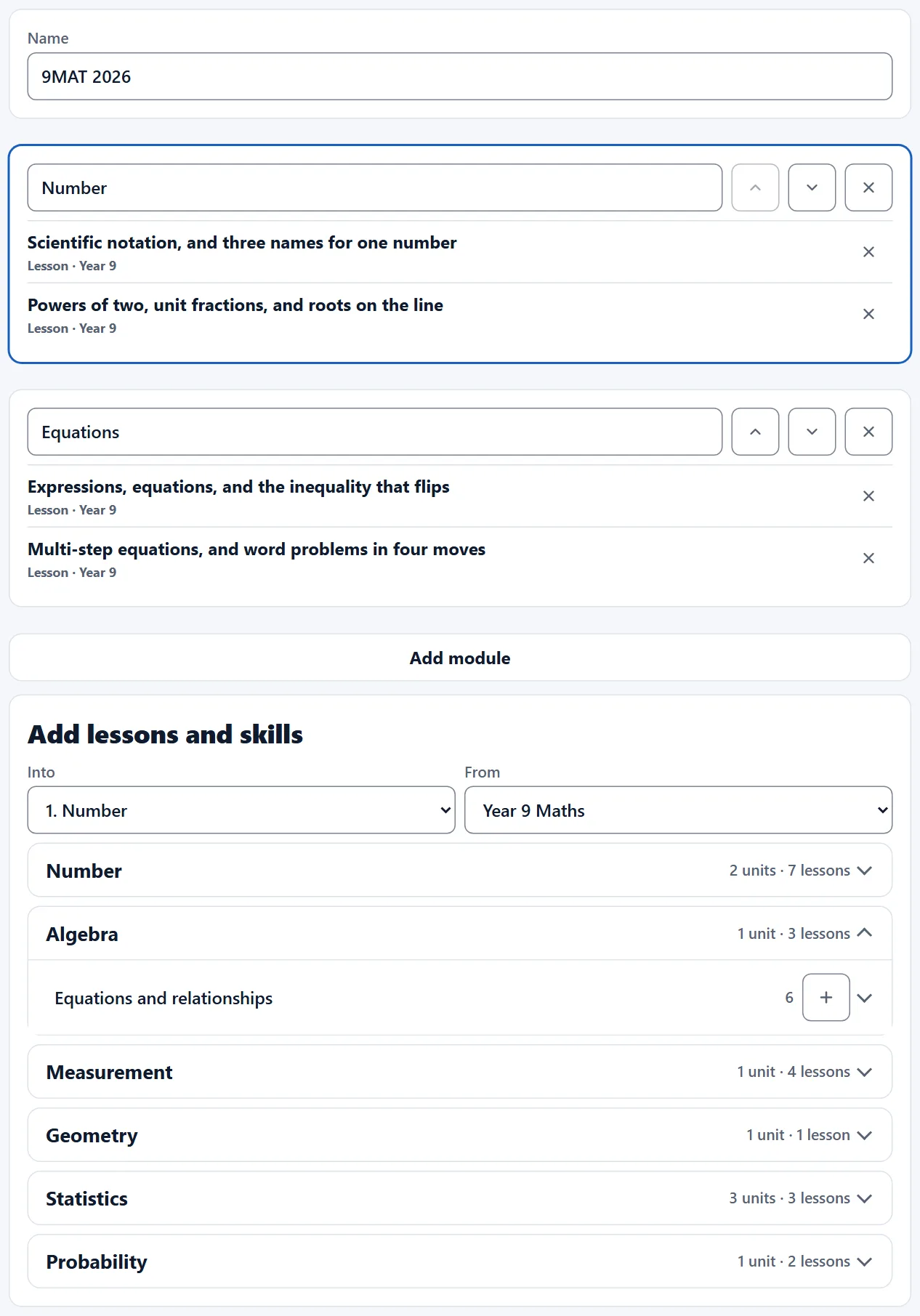
- Press New course and give it a name, such as 9MAT 2026.
- Pick a module under Into, then press + on a unit, lesson or skill to add it.
- Rename, move and remove modules, then press Save.
- Teachers at your school see your course and can save a copy. Only you can change it.
Track your class
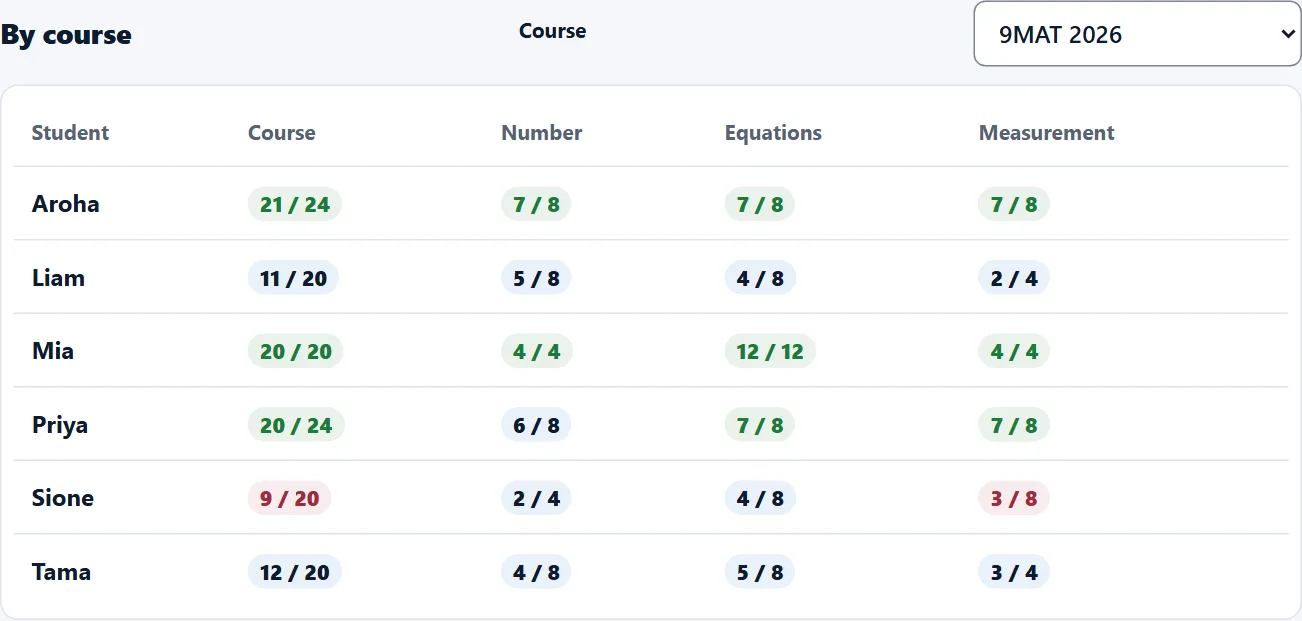
- Open the class and scroll to By course. Pick the course the class follows.
- Each student has a row: right first time over answered, for the whole course and each module.