How to use the marksheet and the class leaderboard
The marksheet
- Open the class and scroll to Marksheet.
- Each student has a row and each task a column: the share right first time, Not yet, or Missed once the due day has passed.
- From and To choose which tasks show. Download CSV gives the same grid.
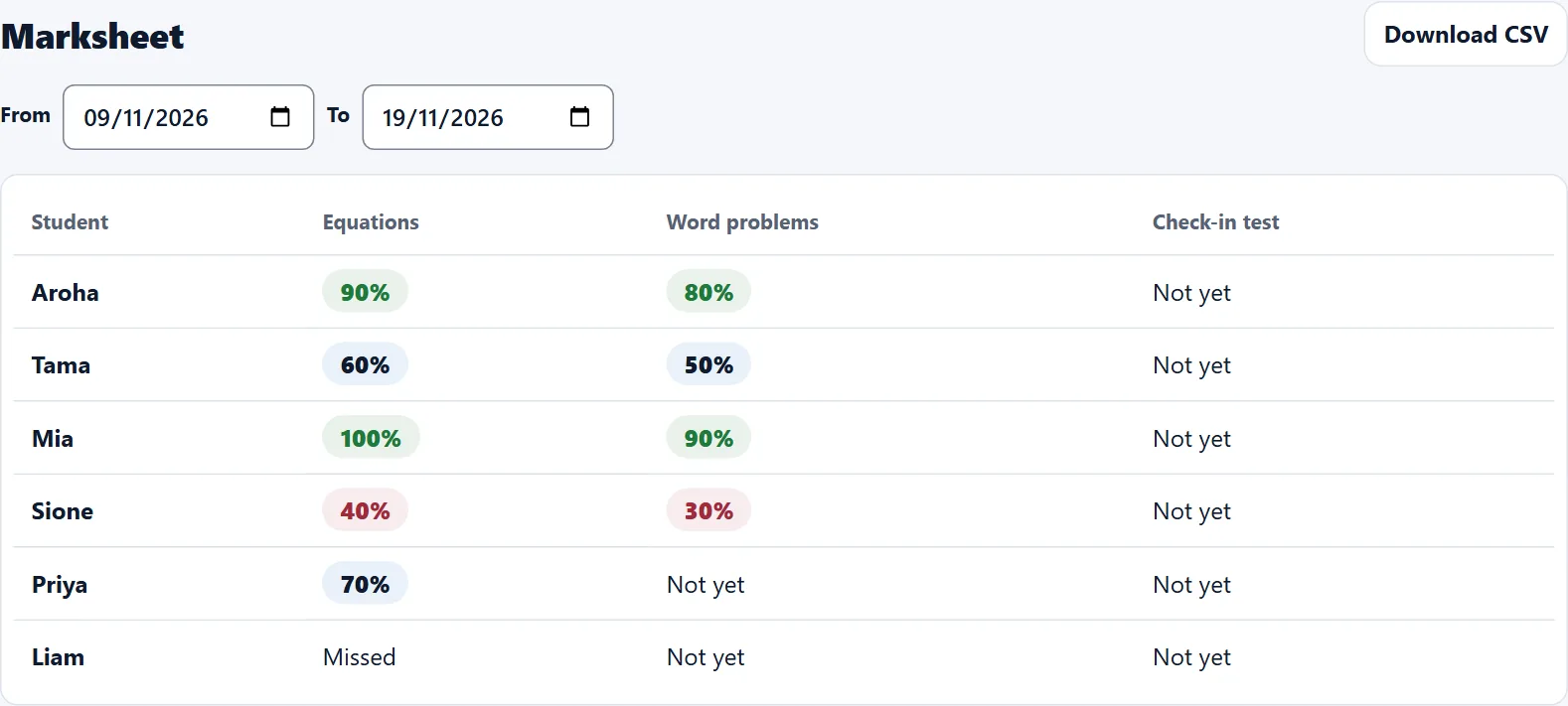
- With one class picked, All tasks has a Marksheet button too.
The leaderboard
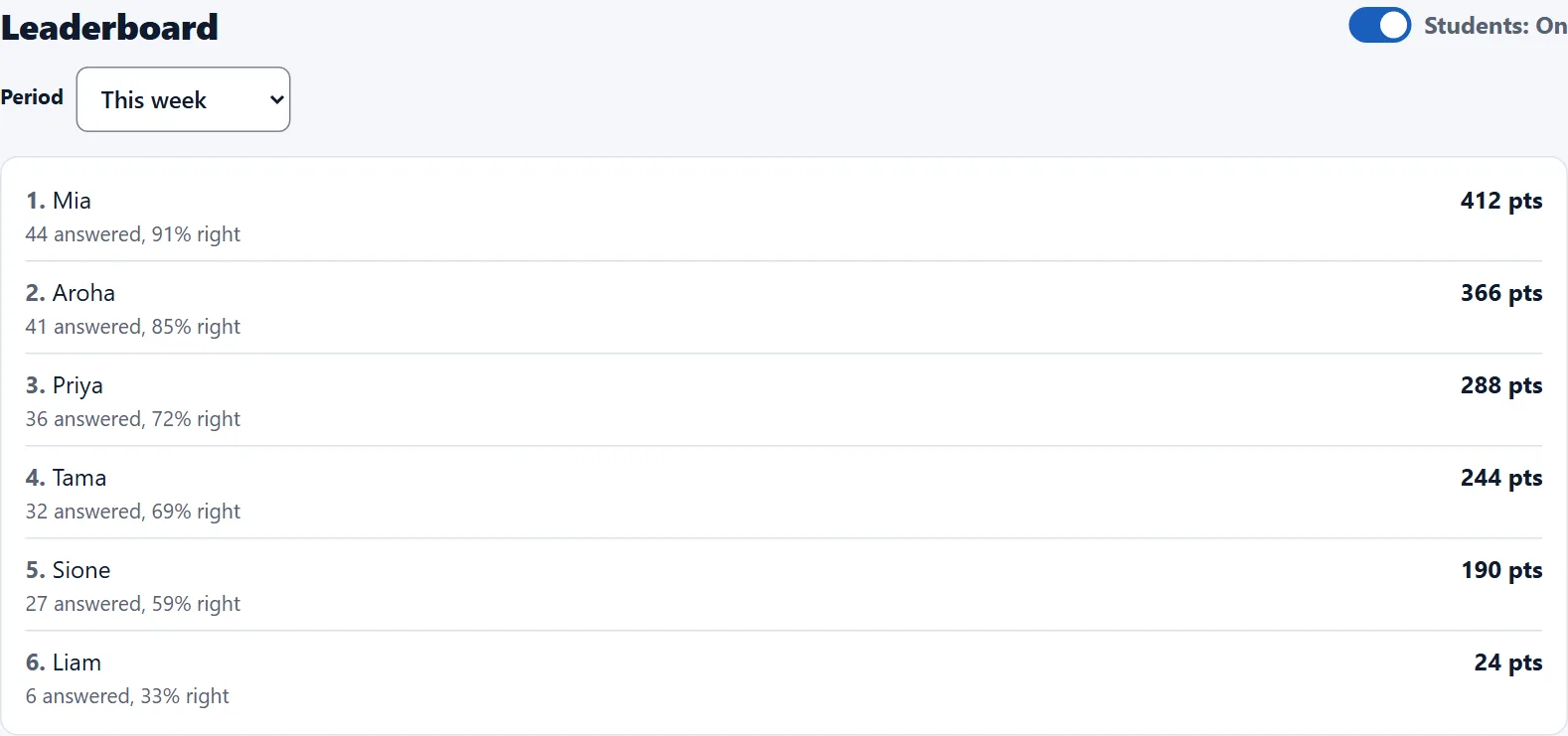
- Scroll to Leaderboard and pick This week, Last 4 weeks, This term or This year.
- Points: 10 for a right first answer, 2 for a try. Practice-paper parts earn none.
- Students: On shows your students their class's top 10 for the week. You always see yours.
Classwork and homework
- When you set a task, choose Classwork or Homework.
- All tasks can show one type at a time.