Plan the term
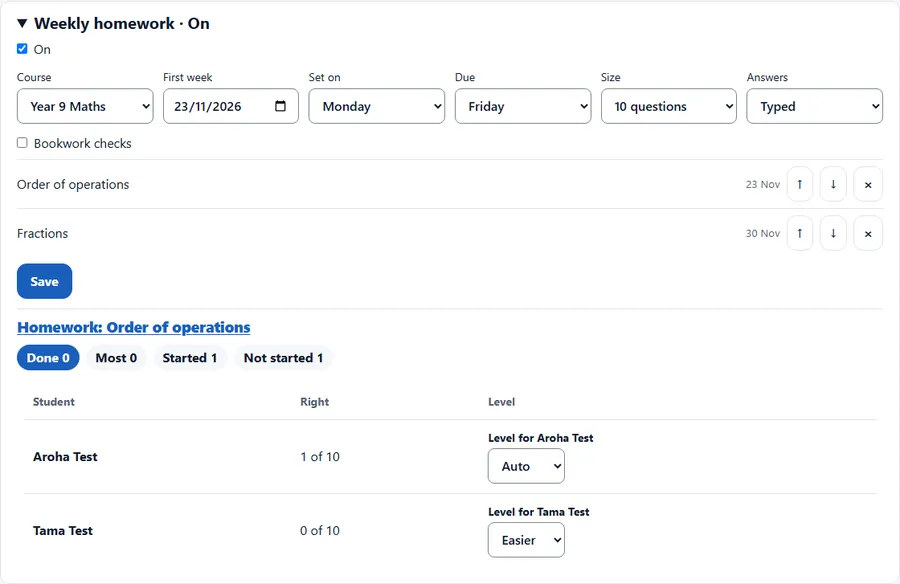
- Open the class and press Weekly homework.
- Pick the course, the first week, the day it is set and the day it is due, the size and the answers.
- Each unit is one week. Move units up or down, or remove them, then press Save.
Each week
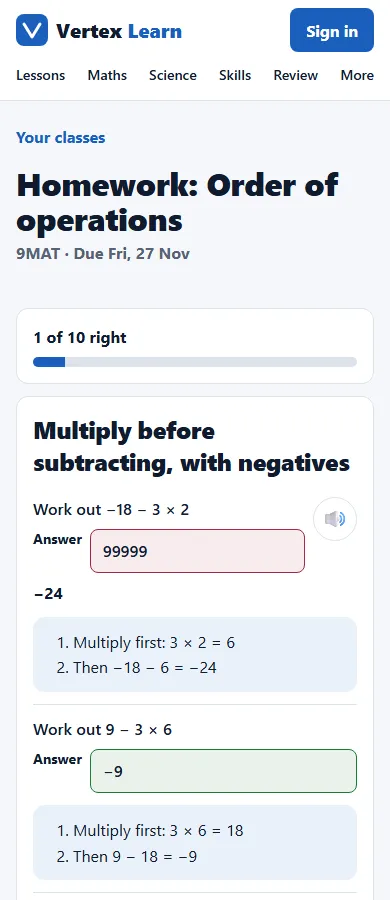
- On the set day each student gets their own questions: about 60% from this week's unit and 40% revision, weak skills first.
- A wrong answer shows the worked answer, then a new version of the question. The homework is done when every question is right.
Check the class
- Weekly homework shows Done, Most, Started and Not started for this week, and each student's questions right.
- Set a student's level to Easier or Harder. Auto follows their scores.
- Results also show in the marksheet.